ClipSweep 1.8.0 for Windows
One ZIP for the free trial and Full Edition. 78.4 MiB ZIP, no installer, Windows 10 or 11, 64-bit. Released 30 August 2026 as an official GitHub release.

Download the ZIP
Use the button above. It points at the official GitHub release, github.com/Mannine/clipsweep-releases/releases/tag/v1.8.0. On a phone right now? Copy the link and open it on the PC.
Extract the whole folder
Right-click the ZIP and choose Extract All. Keep
ClipSweep.exebeside its_internalfolder. Do not run it from inside the ZIP window.Click through SmartScreen once
ClipSweep 1.8.0 is not code-signed, so the first time you run it Windows shows “Windows protected your PC”. Choose More info, then Run anyway. That screen is what it looks like; it is not an error in the download.
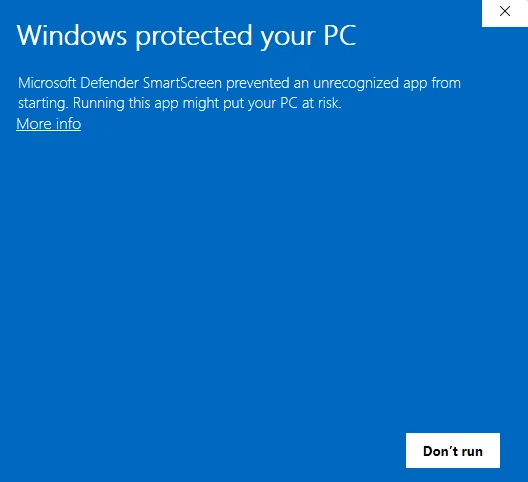 The first run of an unsigned app. Windows shows this once.
- 1Choose More info.
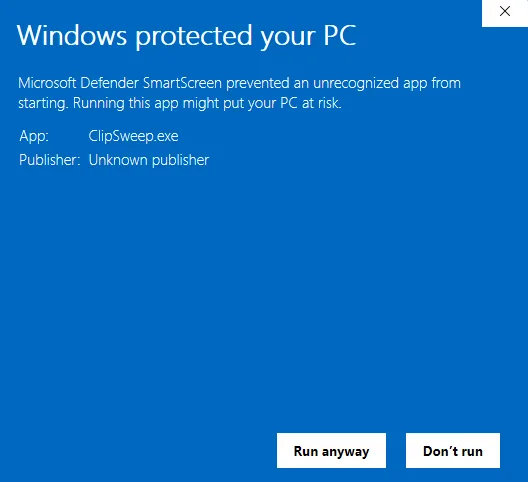 After More info: the app name, “Unknown publisher”, and the Run anyway button.
- 2Choose Run anyway. Compare the hash below first if you want to be sure.
If you want to be sure the file is the real one first, the next step compares its hash.
Check the hash (optional)
Open PowerShell and run:
Get-FileHash "$env:USERPROFILE\Downloads\ClipSweep-v1.8.0-win64.zip" -Algorithm SHA256
The hash it prints must be exactly:
A35B88D7D77DA9CB3653AE6CE48F6DF1973D75D8253628EEEBE4192267920362ClipSweep.exeinside the ZIP isF38131D560B1D52F4489B252FABA3FBBF7F90BE70658848ABE8381CDC82F38C9. TheClipSweep-Trial-v1.8.0-win64.zipasset on the same release page is byte-identical to the ZIP above; it exists so older links keep working.First launch
Choose a setup (gaming clips, home videos, or your own folders), confirm where sorted clips should go, then pick the raw folder to sweep. Every step can be replayed later with Redo setup in Settings. The first 100 successful sorting decisions are free; the price for unlimited sorting is one line.

Updating an existing copy
Close ClipSweep, extract the new ZIP, and replace the entire old application folder.
Your license, settings, Broomies, and history stay in %APPDATA%\ClipTriage, outside the app folder, so nothing needs to be re-entered.
Included with every ZIP
THIRD-PARTY-NOTICES.txt and the distribution-licenses folder. The matching third-party source and build materials are on the third-party notices page.